Temporize
Measure, analyze and correct your tempo.
Temporize simplifies tempo work, from a simple metronome to full track tempo analysis and correction.
Temporize Lite Free
Measure • Play • Practice
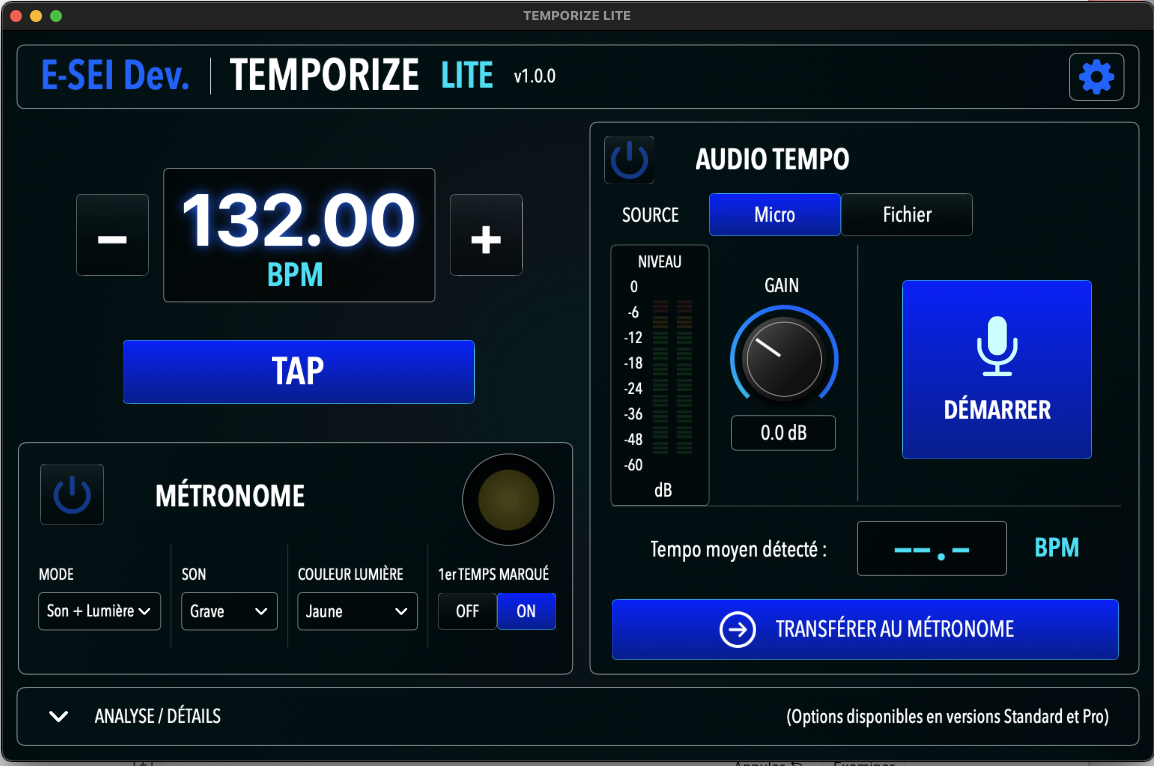
A simple and customizable metronome with audio click, visual cue, or both, especially useful for musicians and drummers.
Instantly measure a tempo with Tap Tempo, automatically detect BPM from the microphone or from an audio file, and practice along with a synchronized metronome.
→ The tempo essentials, for free.
 (Click to zoom..)
Temporize Standard
Analyze • Understand • Locate
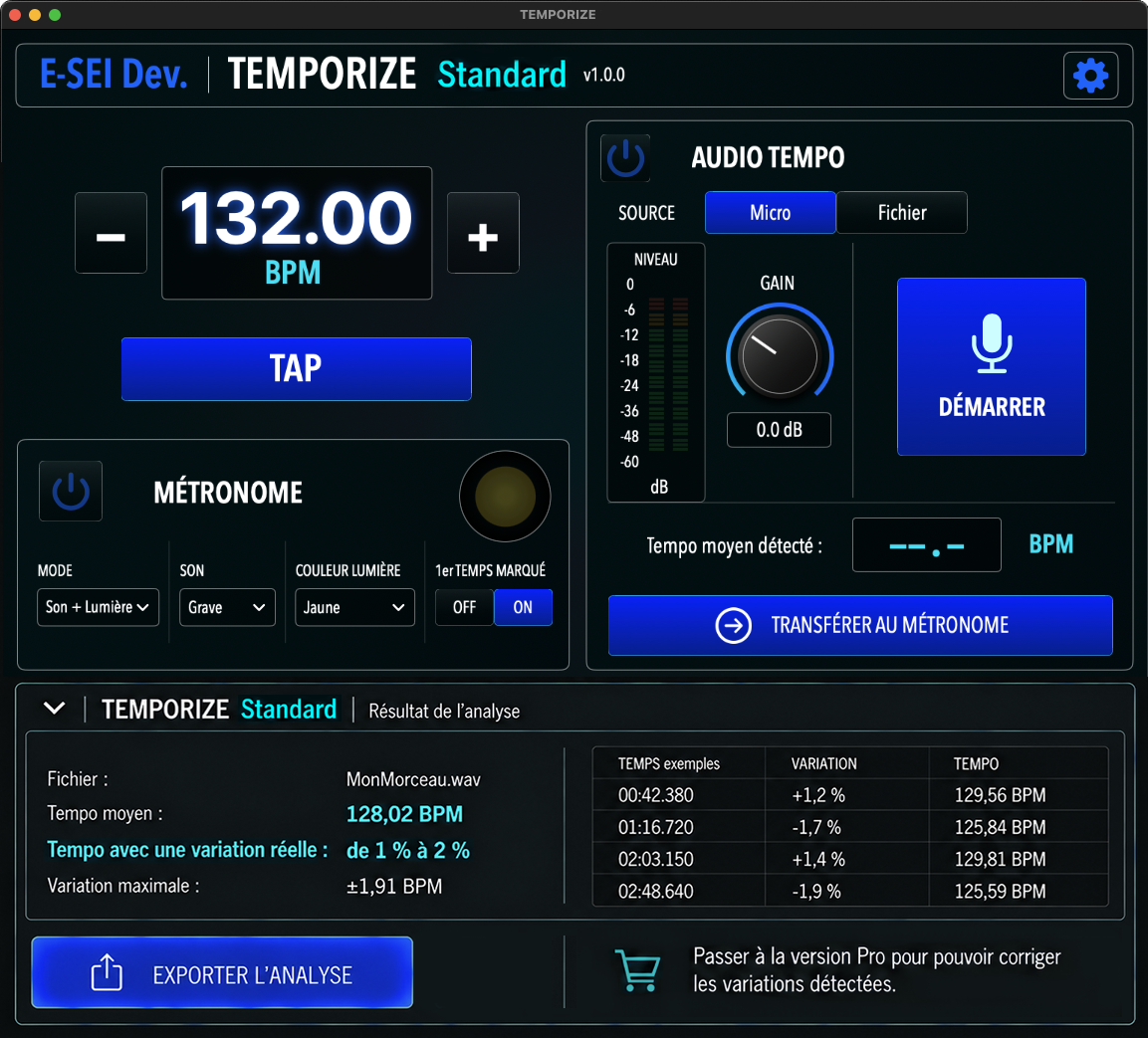
Temporize does not stop at the average BPM: it analyzes how the tempo evolves across the entire track.
It detects accelerations, slowdowns, drifts and unaligned restarts, as well as breaks, bridges and transitions whose length does not match the expected rhythmic structure.
Ideal for analyzing naturally played drums, assembling parts from different sources, or checking the tempo of AI-generated productions.
Detected variations can be exported as a report (time references + DAW bar positions) and a MIDI Tempo Map so you can continue working in your music environment.
→ You know precisely where and how the tempo changes.
 (Click to zoom..)
Temporize PRO
Analyze • Correct • Export
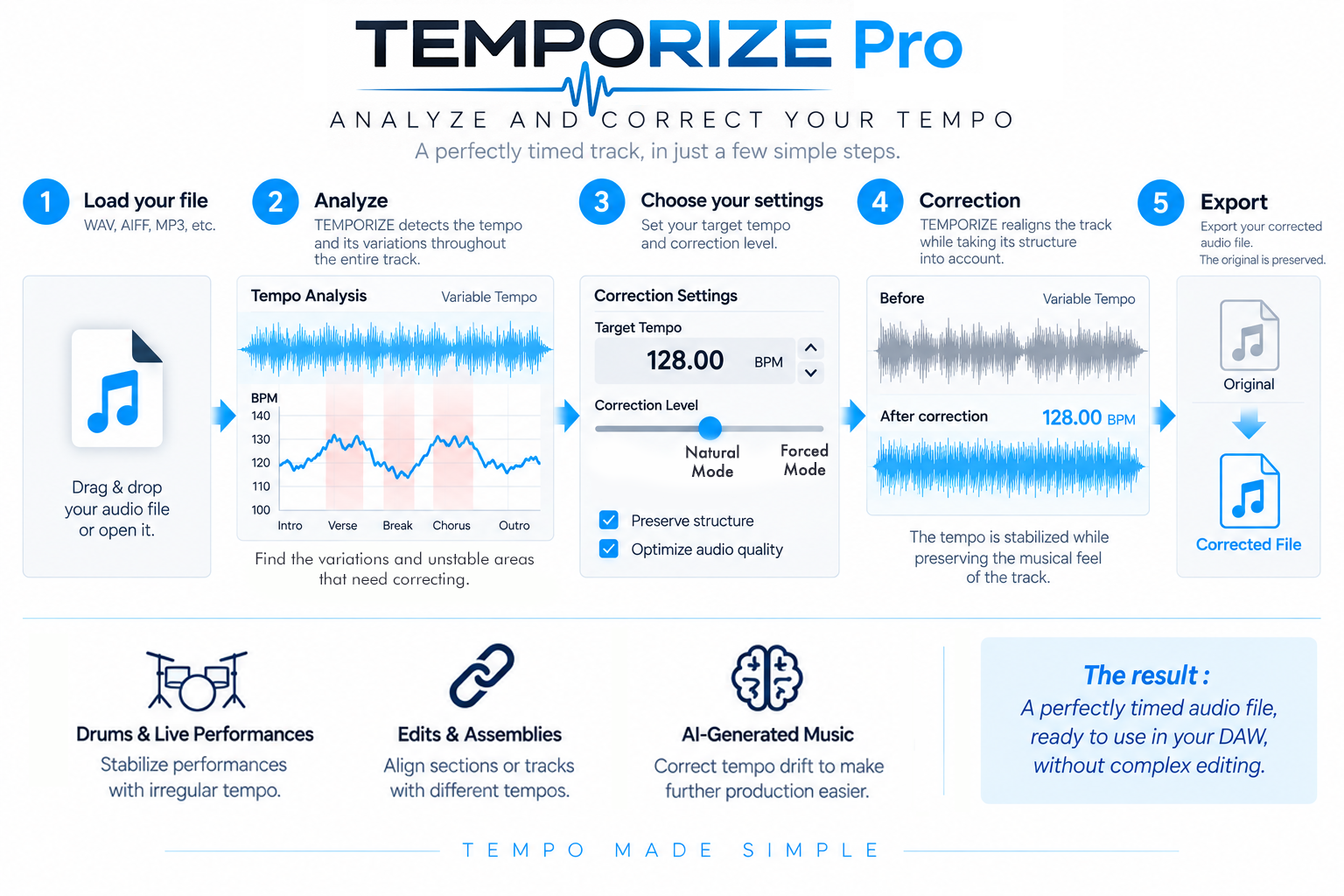
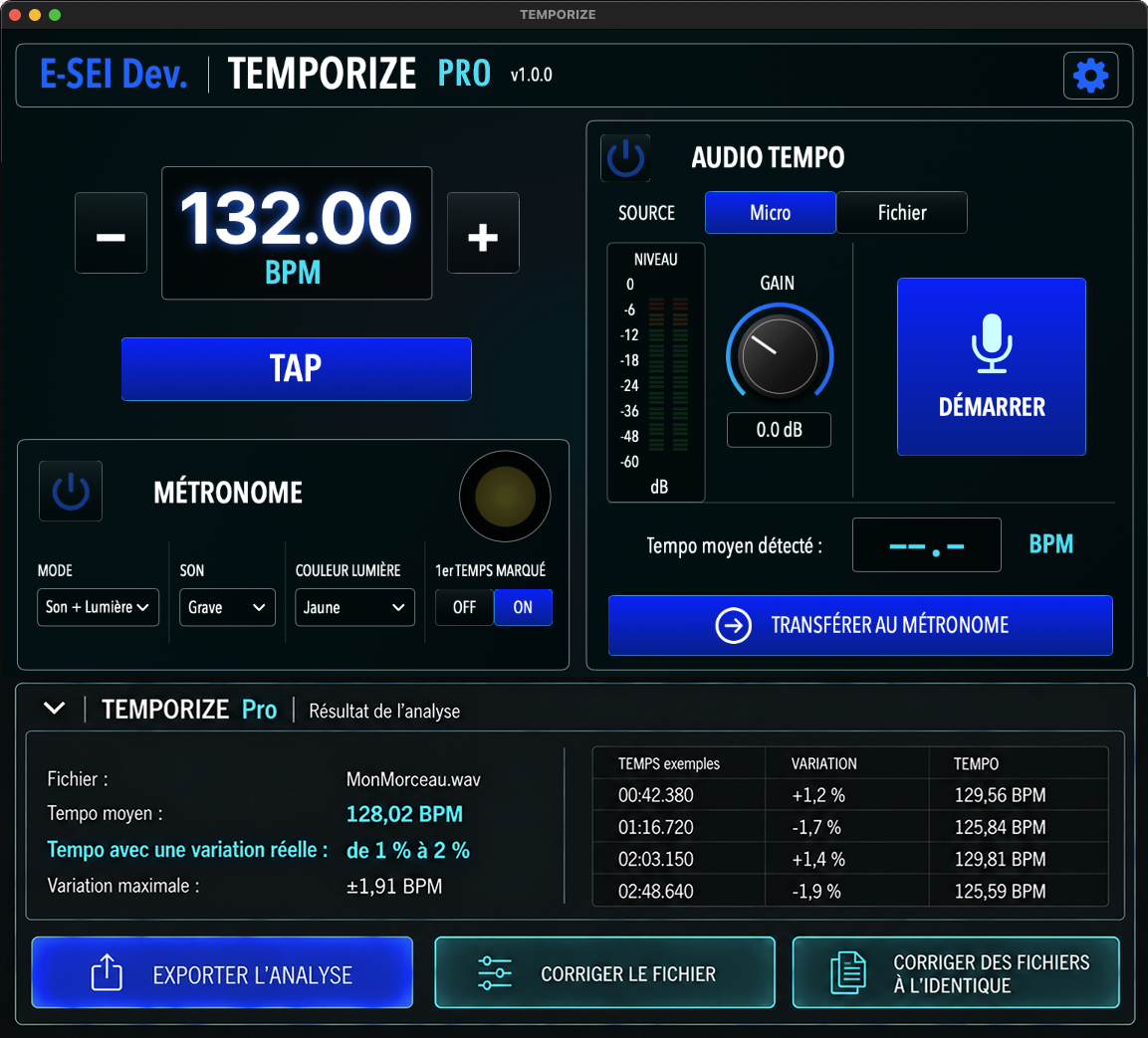
Temporize PRO adds automatic audio tempo correction with two correction modes: a natural mode that preserves a controlled amount of timing variation, and a forced mode for stricter tempo alignment.
Choose your target tempo and let Temporize correct tempo drift. Breaks, bridges and transitions of an unexpected length are detected, but only their tempo is corrected, not their length.
The next update (see FAQ) will let you select the sections to correct and exclusion zones that will remain untouched.
Especially useful for regularizing drums, combining tracks or takes with different tempos, and putting AI-generated productions or stems back on the grid before continuing in a DAW.
The original file is preserved and Temporize automatically generates the corrected version.
→ From analysis to corrected audio file in just a few steps.
 (Click to zoom..)